Internal Links Are Bad for SEO: The Problem Nobody Talks About
A few years ago I watched a conference talk that broke my brain a little.

It was by Alec Stine, an SEO at Wayfair, and it was called Project Whack-a-Mole (watch it here). His central idea sounded like heresy: if you want your most important pages to rank better, delete internal links. Not add them. Delete them. He walked through pulling ~150 links out of the header, gutting a bloated footer, and — my favorite part — a bug where a single code release quietly turned every product card on their category pages from one link into twenty-eight.
The image became a link. The title became a link. The price became a link. The star rating became a link. The whitespace next to the price became its own link. Same product, same URL — twenty-eight times over.
And here’s the part that should scare every e-commerce SEO: nothing “broke.” The pages worked better than ever. Titles, canonicals, robots.txt — every standard audit came back clean. But organic traffic slid for weeks, and the team burned real time hunting the cause, because the cause was invisible. They’d multiplied the internal links on their most-crawled template several times over, and quietly starved every page those links were supposed to feed. They reverted it. Traffic came back.
So yes — I’m going to tell you internal links are bad for SEO. That’s deliberately provocative, and it’s not the whole truth. The whole truth is worse: most online stores are silently bleeding rankings through internal links they were told were “best practice.” Not because links are bad — but because too many links, in the wrong places, do the opposite of what everyone thinks they do.
Now here’s where I’m going to disagree with the internet.
Alec’s talk is excellent. But the way our industry repeats it has hardened into a myth: “a page has 100 units of authority; divide it by the number of links on it; remove half your links and the survivors double.” Clean. Intuitive. And wrong — or at least so oversimplified that it makes you make bad calls.
Because Google has never split link equity evenly. And we don’t have to guess about that — Google described how it actually works, in a patent, back in 2010. It’s called the Reasonable Surfer, and once you understand it, “reduce your internal links” stops being a sledgehammer and becomes a scalpel.
Let me show you the mechanism nobody explains — starting with that product card.
Google Has Never Counted Every Link Equally
Here’s the model almost every SEO carries in their head:
A page has a pool of authority. It splits evenly across every link on the page. Fewer links, bigger slice each. Remove half, double the rest.
It’s a useful mental model — and it comes straight from the original idea behind PageRank: pages earn importance from the pages that link to them, and that importance flows across the link graph. It’s real: Lawrence Page patented the mechanism in 1998 (US 6,285,999). The idea’s popular name — the “random surfer,” from Page and Brin’s 1998 paper — pictures a reader who lands on a page and clicks one of its links at random (with a “damping” chance of jumping somewhere else entirely).
A note on evidence before we go further: every source in this article links to primary documentation where possible — patents show what Google has explored and built toward, not necessarily the live ranking formula.
But if you stop there, you’ll make bad calls — because that model has one fatal simplification baked in: the random surfer clicks every link with equal probability.
Real people don’t. Nobody clicks your “Terms of Service” link as often as your “Add to Cart” button. And Google knows that, because Google patented the more realistic version.
It’s called the Reasonable Surfer (US 7,716,225 B1, “Ranking documents based on user behavior and/or feature data”), and its entire premise is that a user follows some links with higher probability than others — so those links may pass more weight. The patent doesn’t leave it abstract. It names the losers outright: “Terms of Service” links, banner advertisements, and links unrelated to the content of the page — the links a reasonable person almost never clicks. Their weight gets discounted.
What sets the weight? The things that make a human actually click: position (in-content, above the fold beats buried-in-footer), prominence (big, bold beats tiny grey text), and anchor relevance (“ergonomic office chairs” beats “click here”).
Now the honest part — because I’d rather you trust me than dazzle you: a patent is not a live algorithm. We don’t know Google’s exact current formula, and PageRank has evolved far past that 1998 paper (the original patent even expired in 2019 — the idea is alive; only the paperwork lapsed). But patents prove what Google has thought about and built toward for two decades — and on this, the direction has never wavered:
Google treats internal links as weighted signals, not identical pipes.
Sit with what that does to the whole “how many links?” question. The number was never the point. Two hundred links don’t trip some penalty counter. The damage is quieter and worse: a flood of low-probability links — footer clutter, tag clouds, filter URLs, duplicated wrappers, “you may also like” carousels — sits on the same template as the handful that actually matter, and makes your architecture less decisive. More links for Google to weigh, less signal about which pages you truly care about.
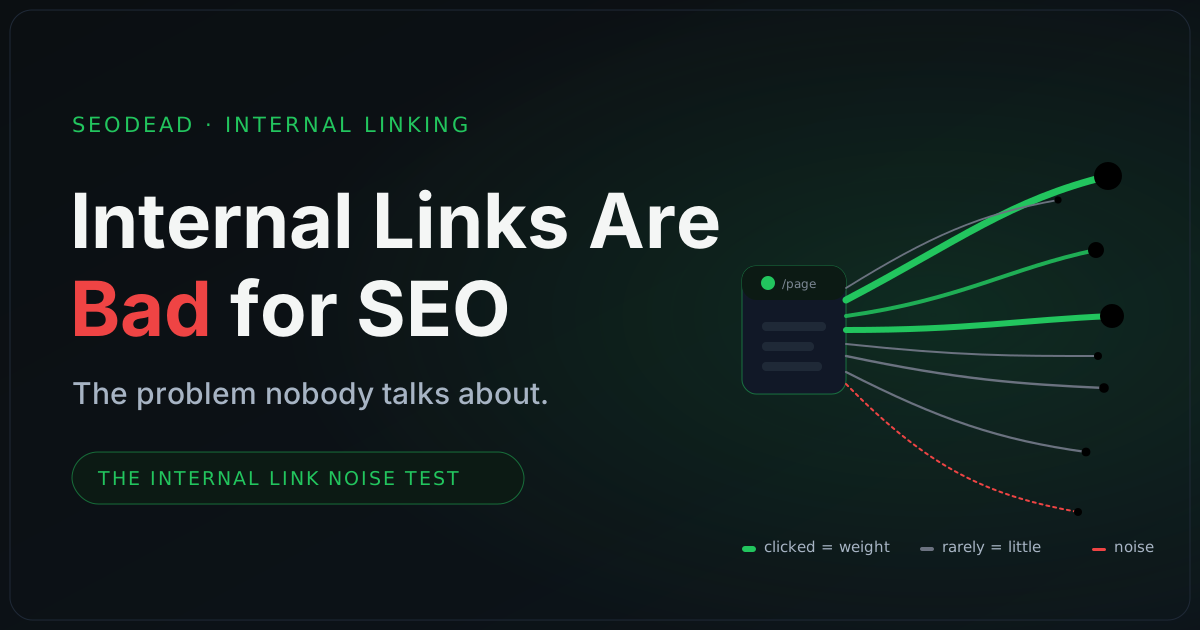
That’s the real thesis. Internal links help SEO when they create clarity. They hurt when they create noise.
And if a 2010-era patent feels like thin evidence in 2026 — good instinct. So let’s look at what leaked out of Google in 2024, and check whether they were still thinking the exact same way.
That Patent Is From 2010. Here’s What Leaked in 2024.
Right about now, a sharp SEO should push back: a patent from 2010 tells me what Google once thought about — not how it ranks pages today.
Correct. So let’s jump fourteen years.
In May 2024, roughly 14,000 attributes from Google’s internal Content Warehouse documentation spilled onto GitHub and were surfaced and dissected by Rand Fishkin and Mike King (iPullRank’s analysis). Let me be blunt about what it is and isn’t: the leak does not reveal Google’s ranking formula, and a leaked attribute name is not a confirmed ranking weight. Anyone selling it as “Google confirmed X” is overreaching, and I won’t.
But you don’t need the formula. You just need to see what Google bothered to store and compute — because that reveals what it thinks matters. And on internal links, the direction is the same one the Reasonable Surfer drew fourteen years earlier.
Three attributes are hard to ignore:
avgTermWeight— appears to relate to the weighted font size of terms, including anchor text. Read that again. Google apparently keeps a signal tied to how visually prominent a link’s anchor is — not merely whether the link exists. That’s the Reasonable Surfer’s “prominence” idea, sitting in a data field.siteAuthority— widely interpreted as a genuine site-level authority score, the kind of sitewide signal Google spent years publicly waving off. It propagates through your internal links.siteFocusScore/siteRadius— appear to measure topical focus: how tightly a site sticks to one theme, and how far a given page drifts from it.
The same documentation reportedly includes a field around droppedLocalAnchorCount — dropped local (internal) anchors — which fits the broader idea that not every internal anchor is necessarily treated equally. Again: reported fields, not a confirmed scoring formula. As Mike King put it plainly, “we do not know how features are weighted.”
Sit with siteFocusScore for a second, because it’s the part most people miss. It means an internal link isn’t automatically “safe” just because it’s internal. Point enough links at off-topic, low-value destinations — tag clouds, thin archive pages, unrelated modules bolted onto every template — and you’re not just diluting authority. You may be blurring what your site is about.
So stack the three eras:
- 1998 — PageRank: links distribute importance.
- 2010 — Reasonable Surfer: different links carry different weight, by how likely a human is to click.
- 2024 — the leak: reported fields for prominence, site authority, and topical focus, sitting in Google’s own internal documentation.
Different decades. Same direction. Links are interpreted, not just counted.
Which means the advice you’ve heard your whole career — “add more internal links” — is only half a sentence. More links help when they sharpen the picture of what matters. More links hurt when they smudge it.
And on an e-commerce site, smudging doesn’t stay small. It multiplies — across every category page, every PDP, every filter, every sidebar, header, and footer, on templates that repeat tens of thousands of times.
That’s how link bloat starts. Let’s name it.
What Link Bloat Actually Is
Let me stop interpreting Google and start telling you what I see on real stores.
Link bloat isn’t a Google penalty. It’s an organizational one. It’s what happens when every team adds internal links and nobody owns the architecture.
Marketing adds campaign links. Merchandising adds seasonal collections. Developers wrap the whole product card in clickable regions “for UX.” Content bolts on tag clouds and “related articles.” Support drops in another policy link. And SEO — yes, us — keeps adding “internal links for SEO” because a blog post said more is better.
Every one of those links has a reason. That’s the trap. Individually, they’re all defensible. Collectively, they bury the pages that make you money.
So here’s my working definition, and I’ll be blunt, because this is the part I do know cold:
Link bloat is the accumulation of repeated, low-value, off-topic, or duplicated internal links across templates that render on thousands of pages.
Notice what that definition does not say. It doesn’t say “too many links.” A store can have a hundred thousand internal links and be perfectly healthy — if they all pull in the same direction. The problem was never the count. It’s the ratio: how many of your links do a real job — giving a reader a destination worth reaching, connecting genuinely related pages, explaining themselves through their anchor, pointing at a page you actually care about, or adding something no other link already does — versus how many just take up space on a template that renders 50,000 times.
Those are the five jobs a link has to justify: destination, relevance, context, priority, distinction. Hold that thought — near the end I’ll turn it into a one-question test you can run on any link. For now, let’s find where the dead weight hides. In my audits, it’s almost always the same four places.
The Four Places E-commerce Sites Bleed Link Equity
1. The header — when the menu becomes a sitemap. The header is the most expensive real estate you own, because it renders on every page. That’s exactly why it fills up. A mega-menu that started as five clean categories becomes forty, then a hundred, as every department and “shop by” angle fights for a slot. Now every page votes for a hundred destinations at once — and a vote for everything is a vote for nothing. If your header reads like a sitemap, it stopped being navigation and became noise wearing a nav bar.
2. The footer — where links go to die. The footer is the junk drawer of the internet: shipping policy, returns policy, refund policy, the policy about the policies, careers, press, investors, seventeen social icons. Most of it is real, useful information. Almost none of it needs to be reachable from every page of the store. The fix is consolidation — fold a dozen customer-service pages into one Help hub and link to that sitewide. One decisive link instead of twelve weak ones.
3. Sidebars and widgets — the WordPress tax. This one hits content-heavy stores hardest. Install a theme and a few plugins and you inherit “recent posts,” “popular posts,” tag clouds, category lists, monthly archives — each quietly stapling dozens of low-value links onto every page. “Archive: March 2021” is not a link a human clicks or a page you want ranking. Unless you have engagement data proving people use them, they’re pure dilution. Cut them.
4. Templates — where small mistakes scale. The dangerous one — and where the Wayfair product card lived. The other three zones you can see. Template bloat is invisible: a developer wraps one extra element in a link, one “you may also like” carousel gets added to the PDP, and because it’s baked into a template that renders across the entire catalog, the damage multiplies silently. Nobody reviewed it as an SEO decision — it shipped as a UX tweak. It’s also the highest-leverage place to fix, precisely because one change moves every page at once, in whichever direction you point it.
That last point needs a picture, because the multiplication is the whole game.
Product Grids & Faceted Navigation: Where Both Diseases Strike at Once
Nowhere does link bloat get more expensive than on the e-commerce category page.
It looks innocent — a grid of products, a few filters, a sort dropdown, some pagination. But it’s the single most dangerous template on the site, because it’s where both internal-link diseases show up at once, on the same page.
Disease one: dilution. Remember that product card. When a developer wraps the image, the title, the price, the rating, and the whitespace each in their own link to the same product, one card stops being one link and becomes a dozen. Multiply by 60 products, multiply by every category page in the catalog, and you’ve buried your real category and product links under a landslide of duplicates — same destinations, far thinner signal about which pages you actually care about. Reasonable Surfer, at catalog scale.
Disease two: crawl waste. This is the one product owners never see coming: faceted navigation — the filters that let shoppers narrow by size, color, brand, material, price, rating, availability. For users, filters are non-negotiable. For a crawler, uncontrolled filters are a trap — because if every filter combination generates its own URL, the math turns brutal fast:
Ten sizes, twelve colors, twenty brands, six price bands, five materials — a modest set — multiply out to 72,000 URL combinations off one category. And that single explosion causes two different harms: crawl waste (URLs Google shouldn’t fetch at all) and dilution (real internal links spraying priority into that junk).
So here’s the whole section in seven words:
Filters are good for users. Filter URLs are dangerous for SEO.
The two diseases feed each other — that’s what makes the category template uniquely destructive. The junk URLs don’t just sit there; they get linked to, from the filter UI, on every category page. Too many URLs and too many links pointing into them: the same fire, seen from two angles.
Now — the fix. And I’ll hold back on purpose, because the remedy for faceted navigation is a discipline of its own — canonical strategy, robots and parameter handling, noindex rules, deciding which combinations to promote into real landing pages. That’s honestly a course module, not a paragraph. For this article you only need the governing idea, and it fits on a sticky note:
If people search for it, build a page. If people only filter for it, control it.
“Black running shoes” and “men’s waterproof hiking boots” have real demand — clean, indexable, optimized category pages. “Sorted by price, page 8, in blue” does not; it’s a UI state that should never have become a URL. The best stores don’t treat every filter like a page — they treat filters like a decision. That’s the deepest version of everything here: internal linking at scale was never about more or fewer links. It’s about better decisions on which paths deserve to exist at all.
Anchor-Text Pollution: When Your Links Stop Saying Anything
So far this has been about where your links go. Here’s the quieter failure — the one even careful stores get wrong: what your links say.
Every internal link carries a tiny label — its anchor text — and that label is one of the clearest relevance signals you actually control. Google is unusually plain about it: anchor text should be descriptive, reasonably concise, and relevant to the page it points at, wrapped in a real crawlable <a href> link. It’s how Google and your users form an expectation of the destination before the click.
On real sites, that signal gets thrown in the bin at scale. You’ve seen it:
click here · read more · view · more · learn more · shop now · products · see all
None of those are wrong, exactly. “View product” is a fine button for a human. The problem is what happens when the same empty label repeats across a template: 300 “read more” links on the blog index, 1,000 “view product” buttons on the grids, a carousel where every card says “shop now.” At that scale you’re not describing your site to Google — you’re whispering “more… more… more” ten thousand times.
Here’s where it connects back to the leak, and why it’s worse than it looks. Remember avgTermWeight — Google appears to weight anchor text partly by its visual prominence. The leaked fields also suggest Google appears to interpret the words immediately around a link, not just the anchor itself. Put those together and a vague anchor is a double loss. A “click here” link still costs you the dilution we’ve been discussing — it’s one more path splitting the page’s signal — but it also forfeits the context you’d have earned for free with a real label. Same link. Two wasted opportunities.
Compare:
“read more” → Google learns nothing about the destination. “technical SEO audit checklist” → Google learns the topic, the intent, and the relationship between the two pages, in three words.
Now the honest guardrail, because this is exactly where SEOs overcorrect: the fix is not to jam an exact-match keyword into every link. That’s a different, uglier problem, and it makes your interface read like a spreadsheet. The fix is anchors specific enough to explain the destination while still sounding like something a human would write. “Shop ergonomic office chairs” beats “shop now” and still fits the button. “How faceted navigation wastes crawl budget” beats “learn more” and still reads naturally mid-sentence.
The natural label shifts with the page type — a category link wants the collection intent, a product link wants the model or attribute, a guide link wants the question it answers. You don’t need a rulebook. You need one habit: before you ship an internal link, check whether its label answers two questions on its own — where does this go, and why is it relevant here? If it can’t, the link still works for clicks. It’s just no longer doing its SEO job.
That’s the last of the “how internal links go wrong” story: too many links, in the wrong places, saying nothing. Which sets up the tactic every SEO reaches for to control all this — and why it quietly backfires. Time for the nofollow trap.
The Nofollow Trap: Why You Can’t Sculpt Your Way Out of Link Bloat
At this point, an old-school instinct kicks in: if too many internal links create noise, why not just nofollow the weak ones?
Because that trick already died — and it’s worth getting the two events straight, because they’re five years apart and easy to collapse into one.
2009 — the PageRank change that killed sculpting. SEOs once used rel="nofollow" as a sculpting tool: if a page had ten links and you nofollowed five, the surviving five were supposed to soak up a bigger share of the page’s authority. Matt Cutts explained that Google had changed the math — nofollowed links stopped being excluded from the division, so the authority they’d have carried no longer flowed to the other links. It didn’t get redistributed. It evaporated. That is the fact that ended sculpting.
2019/2020 — nofollow became a hint. Years later, Google introduced rel="sponsored" and rel="ugc" and announced that nofollow, sponsored, and ugc would be treated as hints for ranking, not strict directives. That’s a separate, second nail: it means Google might not even honor the nofollow you place. Different mechanism, same conclusion.
So nofollow is not your escape hatch from link bloat. If a link is useful, relevant, and part of the architecture, nofollowing it just creates a weird half-link — visible to users, semantically confusing to crawlers, still part of the page’s interface. And if a link is not useful, the answer is simpler than a nofollow attribute: remove it, consolidate it, or move it.
If your footer has twenty unnecessary policy links, don’t nofollow nineteen. Build one Help hub. If your sidebar has archives nobody uses, don’t nofollow them — remove the widget. If your product card links the same URL seven ways, don’t nofollow six — fix the component. If every filter chip mints crawlable junk, nofollow doesn’t fix your faceted navigation strategy — controlling the URLs does.
That’s the difference between old PageRank sculpting and modern internal-link work: sculpting tried to hide a link’s cost without paying to remove it — and Google closed that loophole. The only lever that actually reconcentrates authority is the real one: delete the link, or don’t.
One precision note, so this doesn’t get quoted wrong: nofollow never works is false. nofollow, sponsored, and ugc still have legitimate uses — paid links, user-generated content, untrusted outbound links. The accurate statement is narrower: nofollow is not the right tool for fixing internal link bloat.
The Internal Link Noise Test
Everything so far has been diagnosis. Here’s the tool.
You don’t need a crawler, a spreadsheet, or a PageRank simulator to find the links hurting you. You need one question you can run against any internal link in about five seconds.
Point at a link — any link, in your header, your footer, a product card, a related-products row — and ask:
What job is this link doing?
A link that earns its place can name at least one of five jobs:
- Destination — it leads to a page worth reaching.
- Relevance — it connects two pages that actually relate.
- Context — its anchor text says where it goes.
- Priority — it points to a page you want to rank, convert through, or protect.
- Distinction — it does something the other links here don’t already do.
That’s the whole thing. Five jobs. One question.
A good internal link does one of them. A great one does several at once — a contextual in-content link, to a page you want ranked, with descriptive anchor text, that no other link on the page duplicates, is doing all five. That’s the link that pays.
But a link that can’t claim a single job is not neutral. It’s not “just sitting there.” Remember the whole thesis: every unnecessary link is another path Google has to interpret, another option a user has to process, and another cost in the page’s architecture — while giving nothing useful back. That is the definition of noise.
Once you have the question, you can see the entire site through it:
- The seventh “View product” link on a card? Fails Distinction — the other six already do its job. Noise.
- The footer link to a 2016 policy nobody reads? Fails Destination and Priority. Noise.
- The “click here” in your related-posts row? Fails Context — maybe the link can stay, but the anchor needs fixing. Half-noise, easily fixed.
- The in-content link from your faceted-nav guide to its category page, anchored “how faceted navigation wastes crawl budget”? Passes four of five. Keep it. Protect it.
The test never tells you to delete links blindly. It tells you which links are earning the space they occupy — and which are only draining it.
When a link fails, you have exactly three moves:
- Cut it — if nothing of value is lost.
- Merge it — if several links each do a fragment of one job, combine them into one that does the whole job (twenty footer links → one Help hub).
- Move it — if the link matters, but not here (out of the sitewide template, into the one page where it’s actually relevant).
Cut, merge, or move. Never nofollow — you know why now.
And run the test on your templates, not your pages. Fix one template and you fix ten thousand pages at a stroke. That’s the leverage this whole article has been building toward — and why internal linking is the rare SEO lever that scales down: the best move is almost always fewer, clearer, better-aimed links.
How to Fix Link Bloat Without Breaking the Site
Now the practical part — because there’s a fear sitting under all of this: if I start pulling internal links, will I break navigation, hurt users, or tank the pages I actually care about?
You won’t — as long as you fix by zone, not by instinct, and every change resolves to one of the three moves from the Noise Test: cut, merge, or move. Same four zones from earlier, same order. Here’s the move each one usually needs.
1. Header → judge. Your primary navigation is the single most powerful internal-linking surface you own: it links sitewide, from every page, in the prominent position the Reasonable Surfer model rewards most. That power cuts both ways — every link you add to the main nav, you’ve added to every page you have. So the header gets judged, not slashed, and the bar is highest here. Run each nav item through the test: does it point to a page you genuinely want to rank, convert through, or protect? Or is it in the always-visible bar for one team’s convenience? The fix is rarely “delete the nav” — it’s demote: pull the second-tier links out of the primary bar into a menu, a hub, or the footer. Keep the header aimed at your handful of real destinations. If everything is in the primary nav, nothing is prioritized.
2. Footer → merge. The footer is where links accumulate: twenty policy links, ten stray categories, social, press, careers, three newsletter prompts — all sitewide, each draining a little, most doing the same fragment of a job. The footer’s move is merge. Twenty utility links become one “Help & policies” hub. A wall of categories becomes the curated few that actually deserve sitewide prominence. You’re not hiding anything — a user who wants the returns policy still reaches it in one click from the hub. You’ve just stopped every page on the site from voting for forty destinations at once.
3. Sidebar → cut. Sidebars are where legacy widgets live: tag clouds, monthly archives, “recent posts,” a blogroll from 2018. Most fail the test outright — no Priority, no Distinction, often not even Relevance to the page beside them. The sidebar’s move is usually cut: remove the widget. And if one sidebar link is genuinely useful on a specific page, it belongs in that page’s content as a contextual link — not bolted onto the template of a thousand pages that don’t need it. Which is really a move, from template to context.
4. Templates → move & control. This is where the leverage lives — and the multiplier. Product cards linking one URL five ways, related-product rows with generic anchors, faceted filters minting crawlable junk. The template’s moves are move and control: dedupe the product card (one clean link per product, not image + title + “view” + button all firing separately); cap and target related-product rows (fewer items, relevant ones, descriptive anchors); control faceted URLs so filters stay user features without becoming indexable pages. Fix the template once, and the multiplier that was working against you starts working for you — across every page it renders.
Watch the loop close: four zones, four moves — header you judge, footer you merge, sidebar you cut, templates you move and control. Every one is just the Noise Test’s cut/merge/move, applied at the level where it actually pays: the template, not the page. Nothing here breaks the site. Users still navigate. The returns policy still exists. You’ve simply stopped asking every page you own to vote for everything at once — and started pointing your authority at the pages that were meant to have it all along.
When Not to Do This
Now the boundary — because this is where contrarian SEO advice usually turns stupid.
This article is not permission to delete internal links just because a chart made link bloat look scary. Internal links are still one of the main ways Google discovers pages, understands relationships, and reads anchor context. Google’s own link guidance is that internal links help people and Google make sense of a site, and every page you care about should be linked from at least one other page.
So do not run this play if your real problem is that Google cannot find your pages. You probably shouldn’t prioritize link pruning if:
- Your site is new and has almost no authority.
- Your site has 30 pages and clean navigation.
- Your important pages are orphaned or barely linked.
- Your categories have no supporting content.
- Your products aren’t reachable through crawlable links.
- Your internal links are already sparse.
- Your bigger bottleneck is content quality, product data, speed, or backlinks.
For small sites, the answer is usually more clarity, not fewer links.
For large e-commerce sites, the problem is different. The architecture has usually been touched by five teams, three redesigns, two CMS migrations, and a decade of “quick additions.” The issue isn’t a lack of internal links — it’s that too many of them no longer earn their place. That is the correct scope of this article. Not “delete internal links.” But “stop letting low-value links compete with the pages that matter.”
TL;DR: Internal Links Help SEO Until They Create Noise
Internal links are not bad by default. Bad internal linking is bad. The problem is link bloat: repeated, low-value, off-topic, duplicated, vague, or poorly placed links that accumulate across templates and make your architecture less decisive.
The whole article in one pass:
- PageRank taught us links distribute importance.
- Reasonable Surfer taught us links may carry different weights by prominence, position, relevance, and click probability.
- The 2024 leak showed reported fields around prominence, site authority, and topical focus — but not a public ranking formula.
- Link bloat hides in headers, footers, sidebars, product grids, templates, and faceted navigation.
- Anchor-text pollution wastes one of the clearest relevance signals you control.
- Nofollow is not the fix for bad architecture.
- The real fix is to run the Internal Link Noise Test.
Ask one question: What job is this link doing? A link earns its place if it does at least one of five jobs — Destination, Relevance, Context, Priority, Distinction. If it passes, keep it and protect it. If it fails, choose one move: cut it, merge it, or move it. And run the test where it matters most — on templates, not individual pages. Fix one page, you improve one page. Fix one template, you may improve ten thousand.
That’s the real power of internal linking at scale. Not more links. Not fewer links. Clearer links.
Want the faceted-navigation control strategy, the full audit workflow, and the template fixes step by step? That’s what the e-commerce technical SEO course is built around.

Written by
Eslam Saker
SEO consultant specializing in e-commerce SEO, technical SEO, semantic SEO, and scalable internal-linking systems.
I help e-commerce and content-heavy stores improve organic visibility by fixing technical SEO issues, strengthening site architecture, building better internal-link systems, and turning audits into clear growth roadmaps. Connect on LinkedIn →
Comments
Loading comments…